
Shipping software on time is rarely about typing speed. It’s about clarity: what you’re building, what “done” means, and what could change along the way.
That’s why software development time estimation matters. A good estimate doesn’t pretend the future is certain—it creates a realistic plan the team can learn from and adjust as they build.
This guide breaks down the most useful estimation approaches, why estimates go wrong, and a repeatable process you can use to forecast timelines with more confidence.
What is software development time estimation?
Software development time estimation is the process of predicting the most realistic time (and effort) required to deliver a software project or feature. The goal is to translate work into a timeline so you can plan scope, budget, people, and expectations.
To keep terms straight, it helps to separate:
- Effort: how much work is required (often in hours/days or story points).
- Duration: how long it takes on the calendar (effort ÷ team capacity, plus dependencies).
- Schedule: the dates and milestones you communicate.
- Estimate: a forecast based on assumptions and current information (it should be revisited).
- Commitment: what you agree to deliver by a specific date (usually after discovery/planning).
A useful estimate typically answers questions like:
- What will we build in this phase (scope)?
- How much effort will it take (work)?
- How long will that effort take with our team and constraints (time)?
- Where are the biggest risks and unknowns (confidence)?
Why software development time estimation matters
Estimating isn’t paperwork—it’s a decision-making tool. When you estimate well, you reduce surprises and protect quality.
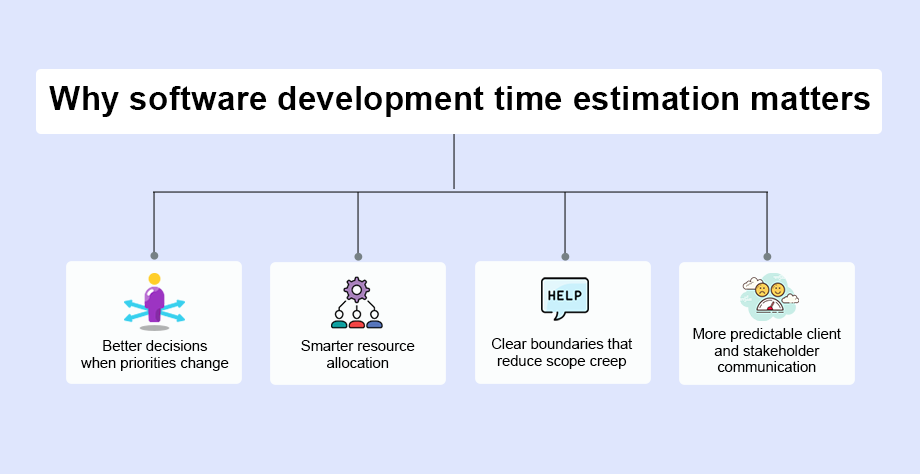
Better decisions when priorities change
Projects rarely move in a straight line. If work slips, a clear estimate helps you decide whether to:
- adjust scope,
- add resources,
- re-sequence work, or
- extend the deadline (and explain why).
If you’re ahead, you can decide whether to invest in polish, testing, performance, security hardening, or an earlier release.
Smarter resource allocation
Estimates help you assign the right people to the right work at the right time—especially when multiple projects compete for the same team. You can also identify:
- tasks that need senior expertise,
- work that can be parallelized,
- bottlenecks like QA, reviews, or approvals.
Clear boundaries that reduce scope creep
Scope creep happens when “just one more thing” keeps getting added without time or budget changes. An estimate creates a baseline: when scope changes, the impact is visible and can be agreed on.
More predictable client and stakeholder communication
Many stakeholders care most about quality, but timing often affects budgets, launches, and operations. With a transparent estimate, you can share:
- what’s in/out,
- what assumptions you’re making,
- how progress will be tracked.
What happens when you skip estimation?
When timelines aren’t estimated (or aren’t revisited), teams commonly run into:
- longer delivery times and higher costs,
- rushed work and lower quality,
- frustration and burnout,
- unhappy clients and reputational risk,
- fewer repeat projects due to lost trust.
Why estimating software development time is hard
Software estimation is difficult because software is both creative and technical. Small unknowns can cascade.
1) Limited experience or weak historical data
If the team hasn’t built something similar, estimates rely on guesswork. Without past data (velocity, cycle time, defect rates), confidence is naturally lower.
2) Unclear requirements or shifting scope
If “done” isn’t defined, it’s hard to list tasks, and impossible to estimate them well. Ambiguity often hides work like edge cases, integrations, and non-functional requirements.
3) Project complexity and dependencies
Complexity increases with:
- number of features,
- integrations and third-party APIs,
- size and maturity of the codebase,
- legacy constraints,
- regulatory or security requirements,
- cross-team dependencies.
4) Uncertainty about future changes
Roadmaps evolve. Stakeholders learn more as they see working software. When discovery is part of the work, estimates must explicitly include uncertainty.
5) The dynamic nature of development
As you build, you uncover technical debt, hidden requirements, and performance issues. That doesn’t make estimation pointless—it means estimation should be iterative, not a one-time event.
Software development estimation techniques
No single technique wins in every situation. The best approach depends on what you know, how much detail you have, and how quickly you need an estimate.
1) Estimation by analogy (use “similar project” benchmarks)
Analogy estimation compares your new work to something you’ve already delivered.
Works best when:
- you’ve built comparable features before,
- you have reference projects with real durations,
- your tech stack and team are similar.
How to do it well:
- Identify 1–3 “closest match” past projects or features.
- Note what’s different (complexity, integrations, performance, compliance).
- Adjust the estimate up/down based on those differences.
- Write down assumptions so changes can be discussed later.
Quick example:
If “basic user login” took 2 weeks in a previous product, but this version adds SSO + role-based access + audit logs, you’d adjust upward and call out those added components.
2) Bottom-up estimation (estimate tasks, then add up)
Bottom-up estimates start with a task breakdown (often a WBS/work breakdown structure). You estimate each task, then roll them into a total.
Works best when:
- requirements are reasonably clear,
- you can break work into small chunks,
- you need higher accuracy.
Practical guidance:
- Keep tasks small (for example: 0.5–3 days each). If a task is “2 weeks,” split it.
- Include “glue work” such as reviews, QA cycles, documentation, and release steps.
- Mark tasks with unknowns and estimate them using ranges (see three-point estimation below).
Watch-outs:
- it’s time-consuming,
- it can miss work between tasks,
- it may underestimate unknowns unless risk is included.
3) Three-point estimation (PERT-style: optimistic / most likely / pessimistic)
Three-point estimation reduces bias by forcing you to consider uncertainty.
For each task, estimate:
- Optimistic (O): if everything goes smoothly
- Most likely (M): realistic path
- Pessimistic (P): if key risks occur
A commonly used PERT-style calculation is: (O + 4M + P) / 6. You don’t have to use the formula to get value—the real benefit is turning risk into numbers you can discuss.
Where it shines:
- new integrations,
- performance work,
- migration projects,
- anything with unknowns.
4) Parametric estimation (models based on measurable inputs)
Parametric estimating uses a model that links inputs (like functional size, complexity, or historical productivity) to effort.
Common approaches include:
- Function Point Analysis (FPA): estimates effort based on functional size
- COCOMO II: a model that relates size/complexity factors to development effort
Strengths:
- useful for early-stage forecasting,
- more consistent across projects.
Limitations:
- requires reliable inputs and calibration,
- can produce misleading precision if inputs are guesses.
5) Relative estimation in Agile (story points, t-shirt sizes, planning poker)
In Agile teams, estimates are often relative rather than time-based: you compare items against each other, then translate into time using team velocity.
Common forms:
- Story points (relative complexity/effort)
- T-shirt sizing (S/M/L/XL)
- Planning poker (team-based consensus)
Best for:
- product roadmaps,
- backlogs with evolving requirements,
- teams that deliver in sprints and track velocity.
A practical process to estimate software development time more accurately
Here’s a repeatable workflow you can use for project estimates, feature estimates, or sprint planning.
Step 1: Define the project clearly (scope + “done”)
Start with a lightweight requirements document or roadmap. Make sure you can answer:
- What problem does this solve?
- Who will use it (user roles)?
- What features are required vs. optional?
- What integrations are involved?
- What constraints exist (security, compliance, performance, accessibility)?
- What is the acceptance criteria for release?
Tip: If you can’t write acceptance criteria, you can’t estimate confidently yet.
Step 2: Break work into a task list (WBS)
Convert scope into deliverables and tasks. Aim for tasks that are small enough to estimate without hand-waving.
A simple structure looks like:
- Discovery / requirements validation
- UX/UI design (if needed)
- Backend work
- Frontend work
- Integrations
- Data work / migrations
- QA and test automation
- Security review (if applicable)
- Deployment and release
- Documentation and handoff
Mini template: task breakdown for a “reset password” feature
- UI flow + copy (design)
- API endpoint + token handling
- Email service integration
- Rate limiting + abuse prevention
- Logging + monitoring hooks
- Unit tests + integration tests
- QA test cases + regression
- Release notes
Step 3: Choose the estimation technique that fits the stage
Use the right tool for the moment:
- Early discovery: analogy + parametric ranges
- Planning a committed phase: bottom-up + three-point for risky areas
- Ongoing delivery: relative estimation + velocity
Step 4: Estimate with the people doing the work
Estimates improve when developers, QA, and designers contribute. You’re not just estimating tasks—you’re uncovering missing work and hidden dependencies.
Good practice:
- estimate independently first, then discuss differences,
- write down assumptions,
- call out risks (unknown APIs, unclear requirements, new tech).
Step 5: Turn effort into a calendar timeline (capacity + constraints)
Effort is not the same as duration. A simple way to translate effort into a timeline:
- Confirm team capacity: how many hours/days are realistically available after meetings, support work, and admin time.
- Account for specialization: a backend-heavy project can’t be “sped up” by adding only frontend developers.
- Map dependencies: some tasks must happen in sequence (e.g., API before UI), which limits parallel work.
- Identify the critical path: the longest chain of dependent tasks typically drives the timeline.
- Include review cycles: design reviews, security checks, stakeholder approvals, and QA loops add real time.
- Plan for availability: holidays, PTO, onboarding time, and context switching between projects.
Rule of thumb: If the calendar plan assumes everyone can focus 100% of their time on one project, the schedule is usually optimistic.
Step 6: Add time for testing, rework, and release activities
Many estimates fail because they only count “build time.” To avoid this, explicitly include:
- code reviews,
- bug fixing and refactoring,
- QA cycles and regressions,
- environment setup,
- deployment and rollback plans,
- documentation.
Step 7: Account for risk and uncertainty (buffers, not padding)
A buffer is not an excuse for poor planning—it’s a way to handle reality.
Ways to handle uncertainty responsibly:
- use three-point estimates for risky tasks,
- create an “unknowns” line item,
- add contingency for integrations and approvals,
- split work into milestones so you can re-estimate after each one.
Step 8: Monitor progress and refine estimates as you go
Treat estimation as ongoing. Track:
- cycle time (how long work items take),
- throughput/velocity,
- defect trends,
- time spent on unplanned work.
Then adjust future estimates based on what actually happened.
Simple checkpoint rhythm
- Weekly: review completed work vs. plan
- Each milestone: update remaining estimates
- After release: capture learnings for the next project
What a “good estimate” deliverable looks like
Whether you’re estimating internally or for a client, your estimate is stronger when it includes:
- Scope summary: what’s included and what’s explicitly excluded
- Assumptions: availability, tooling, access to SMEs, third-party readiness
- Approach: which technique you used (bottom-up, analogy, story points, etc.)
- Timeline view: milestones with rough dates (not just a single final date)
- Confidence / range: “2–3 weeks” can be more honest than “18 days”
- Risks: top unknowns and what would change the estimate
- Next step: what you need to validate to tighten the estimate (e.g., discovery, spike, prototype)
Mini template: estimate summary you can copy
- Project goal:
- In-scope features:
- Out-of-scope:
- Key integrations/dependencies:
- Assumptions:
- Risks:
- Estimate range:
- Milestones:
- How we’ll track progress:
Common estimation mistakes (and how to avoid them)
- Estimating without clarity: Fix with acceptance criteria and a scope baseline.
- Ignoring dependencies: Map integrations, approvals, and cross-team work early.
- Forgetting non-coding work: Include QA, reviews, and release steps explicitly.
- Treating estimates as promises: Share confidence ranges and assumptions.
- Not updating estimates: Re-estimate at milestones; don’t cling to old numbers.
- Over-optimism: Use three-point estimation and historical data to ground forecasts.
- Assuming “more people = faster”: Adding people can increase coordination time and slow progress—especially mid-project.
Worked example: estimating a feature end-to-end
Imagine you’re adding “Contact Us form → CRM lead” to an existing web app. Here’s how an estimate might be built:
- Define scope: fields, validation, spam protection, confirmation email, and where the lead should land in the CRM.
- List tasks (bottom-up):
- UI form + client-side validation
- Backend endpoint + server-side validation
- CRM API integration + retries/error handling
- Spam prevention (rate limiting + CAPTCHA if required)
- Admin notification email
- Logging/monitoring hooks
- Unit/integration tests
- QA test cases + regression
- Deployment + rollback plan
- Apply three-point ranges to risky items: CRM authentication, rate limits, sandbox access, and data mapping often introduce uncertainty.
- Translate effort to duration: if the team can realistically dedicate ~60% of their week to this work (meetings, support, other tasks), the calendar timeline expands accordingly.
The result might be presented as a range (for example, “about 2–3 weeks”) with assumptions like CRM access being available, no new data fields added midstream, and QA turnaround within agreed timeframes.
Effort estimation tools you can use on your next project
These tools help you visualize work, track dependencies, and create more reliable estimates.
Planning and visualization tools
- PERT charts: helpful for mapping dependencies and estimating critical paths
- Gantt charts: useful for communicating timelines, milestones, and ownership
- Work Breakdown Structure (WBS): ensures tasks are visible and estimable
Estimation models and sizing methods
- Function Point Analysis (FPA): sizes work by functionality rather than code volume
- COCOMO II: models effort using size/complexity drivers
Spreadsheet and project management tools
- Microsoft Excel (or Google Sheets): flexible for estimation worksheets and scenario planning
- Trello or Asana: useful for task breakdowns, ownership, and sprint planning
- TaskJuggler: open-source scheduling and resource planning
- Apache OpenOffice: spreadsheet-based planning for teams needing a free suite
- ProjectLibre: open-source alternative for creating project plans and timelines
Conclusion
Software development time estimation is less about being “right” on day one and more about building a plan you can trust. Define scope, break work into tasks, choose an estimation method that fits your stage, and revisit estimates as you learn.
When estimation is transparent and iterative, teams ship with fewer surprises—and stakeholders get timelines they can actually use.
Planning a build and need a realistic timeline?
Reach out to discuss scope, risks, and milestones—so you can move forward with confidence.
FAQ
What inputs do you need to estimate a software project timeline?
At minimum: clear goals, core features, user roles, acceptance criteria, known integrations, constraints (security/performance), and the team’s capacity.
Which estimation method is best for software projects?
It depends on the stage. Early discovery often uses analogy and parametric ranges, while committed planning benefits from bottom-up and three-point estimation. Agile teams often use relative estimation.
Why do software estimates change during development?
Because requirements evolve and unknowns become known. As the team learns, estimates should be updated—especially after milestones and testing cycles.
How do you prevent scope creep from breaking the schedule?
Baseline the scope, document assumptions, and treat any scope change as a timeline/budget discussion. Small additions still require effort.
Should testing be included in time estimates?
Yes. QA, bug fixing, regression testing, and release activities frequently take longer than expected if they aren’t planned explicitly.
What factors most affect development time?
Complexity, integrations, unclear requirements, team experience, dependencies, and the amount of unplanned work discovered during development.
How do Agile teams convert story points into time?
They estimate relatively (story points) and use historical velocity (points per sprint) to forecast how much work fits into future sprints.
What’s the fastest way to make an estimate more accurate?
Run a short discovery phase: clarify requirements, prototype risky areas, and break work into smaller tasks. Then re-estimate with the delivery team.