If you’re planning a Java web project in 2026, the hardest part usually isn’t writing Java—it’s choosing the framework that won’t fight you six months from now.
Java is still a go-to language for web development. Statista lists Java at 21.42% popularity, and in the source chart it’s shown as the 2nd most popular language worldwide.
You might be asking:
- What are the best Java frameworks in 2026 for my project?
- Which Java framework is best for web development?
- What types of Java frameworks are there?
This guide answers those questions with a practical breakdown of 11 popular Java frameworks and a simple way to shortlist the right option for your team.
Java is a language—and a platform
Java isn’t only a programming language. It’s also a platform: an environment that helps you create and run programs (including programs written in other languages that run on the Java Virtual Machine).
Frameworks sit on top of that platform to make development faster and more structured.
What is a Java web framework?
A web framework is software that lets you develop web applications without writing all the basic functionality from scratch. It provides a structured system you can adapt for your specific app.
In plain terms, a good framework helps you avoid rewriting the same foundational work—things like handling exceptions, setting up database access, routing requests, and common UI or MVC patterns—so you can focus on business logic.
The different types of Java frameworks (and why it matters)
“Java framework” is a broad label. In practice, teams use different frameworks for different layers of a web application. Here’s an easy way to think about the options covered in this list:
1) MVC web frameworks
These frameworks organize code around the Model–View–Controller pattern, which helps separate responsibilities.
- Examples in this guide: Struts, Spring MVC, JavaServer Faces (JSF)
2) Component-based UI frameworks
If you prefer assembling pages from reusable components (forms, buttons, layouts, widgets), component-based frameworks can simplify UI work.
- Examples in this guide: Vaadin, Wicket, JSF
3) Event-driven / non-blocking frameworks
For high-concurrency systems or apps built around asynchronous flows, an event-driven framework can help.
- Examples in this guide: Vert.x, Play
4) Front-end toolkits that compile Java to JavaScript
These approaches let you write client-side code in Java and deploy it as JavaScript.
- Example in this guide: GWT (Google Web Toolkit)
5) Lightweight web/API frameworks
Sometimes you just want clean routing and a small footprint for APIs.
- Example in this guide: Blade
6) JVM productivity frameworks and ORM tools
Some tools focus on developer productivity (like Groovy-based frameworks) or database mapping.
- Examples in this guide: Grails (Groovy-based), Hibernate (ORM)
How to choose the right Java framework for your project
A “top” framework isn’t automatically the right one. Use this short process to make a confident decision.
Step 1: Define what you’re building
Write one sentence:
- “We’re building a __________ web application that needs __________.”
Examples:
- “We’re building an internal admin tool that needs fast UI development.”
- “We’re building a REST API that needs clean routing and simple structure.”
- “We’re building an enterprise app that needs modular, reusable code.”
Step 2: Pick the framework style that matches the app
Use the categories above as your first filter (MVC, UI components, event-driven, toolkit, lightweight API, ORM).
Step 3: Score your non-negotiables
Create a simple scorecard (1–5) for each candidate:
- Team familiarity / learning curve
- Modularity and maintainability
- UI needs (component-heavy vs simple views)
- Performance approach (blocking vs non-blocking)
- Integration needs (dependency injection, ORM, plugins)
Step 4: Shortlist 2–3 options
If your shortlist is longer than three, you’re not filtering hard enough.
Step 5: Validate with a small spike
Build one small feature end-to-end (a form, an endpoint, or a page) and see which framework feels natural for your team.
Mini template: your 10-minute framework shortlist
Copy/paste this into your project notes:
- App type: (MVC / UI components / REST API / event-driven / database-heavy)
- Primary language(s): (Java only, or polyglot on the JVM)
- Top 3 must-haves: (example: reusable UI components, non-blocking I/O, plugin ecosystem)
- Top 3 constraints: (example: tight timeline, new-to-framework team, long-term maintainability)
- Shortlist (2–3): __________
- Spike task: (one form + one endpoint + one DB operation)
Practical examples: matching a framework to a common scenario
These examples aren’t prescriptions—just a way to connect the dots:
- You need a configurable MVC base with plugins: start by evaluating Struts.
- You’re building an interactive UI and prefer server-side development: shortlist Vaadin or JSF.
- Your app is concurrency-heavy and you want non-blocking patterns: look at Vert.x or Play.
- Your database layer is central to the project: plan for Hibernate as an ORM option.
Most popular Java frameworks for web development in 2026
Below are 11 widely used options, what they’re designed for, and what stands out about each one.
1) Struts
Struts is a free, open-source framework for creating web and mobile applications. It’s built around MVC (Model–View–Controller) and is often used to create the base structure of a web application.
A big advantage is its plugin-based architecture. Plugins are portable and can be integrated into your application’s classpath. Struts also integrates with other Java frameworks—for example, using a Spring plugin for dependency injection or a Hibernate plugin for object-relational mapping.
Where Struts fits best
- When you want a configurable MVC foundation and an ecosystem of plugins.
Notable Struts features
- Configurable MVC components
- POJO-based actions
- AJAX support
- Multiple result types
- Tag support
- Theme and template support
2) Vaadin
Vaadin is a platform for Java web development that emphasizes performance, UX, and accessibility. Unlike many client-side-heavy approaches, Vaadin applications are server-side.
Vaadin stands out by allowing direct access to the DOM from the Java Virtual Machine. In newer releases, Vaadin splits the previously monolithic framework into two parts: a lightweight core for routing and server–client communication, plus UI components that run in the browser.
Where Vaadin fits best
- When your UI is central and you want customizable components with a server-side programming model.
Notable Vaadin features
- Supported by Apache
- Server-side programming model
- Rich, interactive web interfaces
- Good documentation
- Form input components
- Responsive layouts
3) Wicket
Wicket is an open-source, server-side, component-based web framework (similar to JavaServer Faces and Tapestry). It lets you write applications using pure Java and HTML.
Wicket applications are built from reusable pages and components (buttons, links, forms, images, and more). Development centers around POJOs, and components can be bundled into reusable packages. You can also add custom CSS and JavaScript. Wicket includes built-in Ajax for real-time updates and supports internationalization with strong multilingual support.
Where Wicket fits best
- When you want reusable components and strong support for multi-language applications.
Notable Wicket features
- Reusable components
- AJAX support
- Multilingual support (25+ languages supported)
- Open-source
- Component-based architecture
4) Vert.x
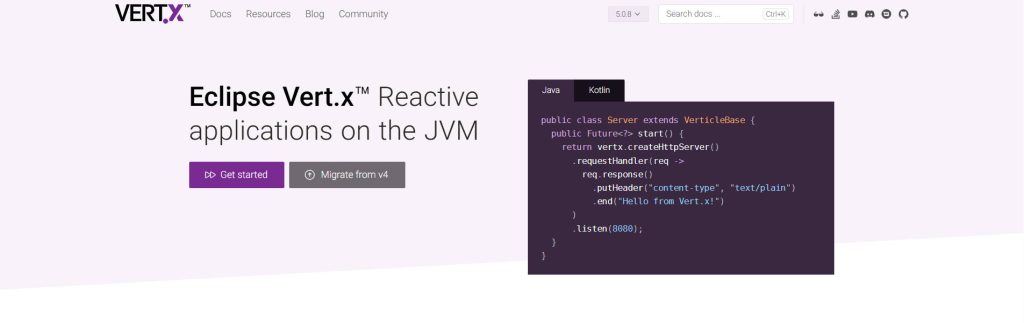
Vert.x is a polyglot framework that runs on the JVM. It lets you write applications in languages such as Java, JavaScript, Groovy, Ruby, Scala, Kotlin, and more.
Its event-driven architecture helps applications scale efficiently, even with minimal hardware. Vert.x is maintained by the Eclipse Foundation (best known for Eclipse IDE). Vert.x is a library, not a container, so you can bring in tools and components from other libraries when needed.
One limitation noted in the source is that it can be difficult to scale Vert.x onto larger systems.
Where Vert.x fits best
- When you need asynchronous, non-blocking patterns and want the flexibility of a polyglot JVM framework.
Notable Vert.x features
- Polyglot support
- Simple concurrency model
- Asynchronous programming model
- Non-blocking applications
- Distributed event bus
- Reusable components
5) Spring MVC
Spring MVC is one of the oldest Java frameworks and is commonly used for enterprise-level applications. Spring started as a dependency injection tool and evolved into a full application framework.
It provides an extensive programming and configuration model and supports common tasks such as database connections and exception handling. In addition to Java, you can also use Spring with Kotlin and Groovy on the JVM. Spring follows inversion of control principles, which helps you build loosely coupled modules.
The tradeoff is complexity: if you’re new to Java programming, Spring can feel like a lot at first.
Where Spring MVC fits best
- When you need a modular framework for enterprise work and you’re comfortable with a deeper learning curve.
Notable Spring MVC features
- IoC container
- Aspect-oriented programming
- Transaction management framework
- Clear separation of roles
- Straightforward configuration
- Reusable business code
6) GWT (Google Web Toolkit)

Google Web Toolkit (GWT) is an open-source Java front-end framework for building and modifying applications. It’s designed to make complex apps easier to build by letting developers write client-side Java and compile it to JavaScript for the browser.
GWT has been used in Google products such as AdWords, Blogger, AdSense, and Google Wallet, and it provides tools and resources developers can use while coding.
Where GWT fits best
- When you want to produce browser-ready JavaScript while writing your client-side logic in Java.
Notable GWT features
- Dedicated support
- Good documentation
- Professional, well-developed tooling
- Stable and well maintained
- Cross-browser portability
- UI abstraction
7) Blade
Blade is a lightweight Java application framework with a small footprint. It’s built on Java 8 and uses a RESTful routing style that can make web APIs cleaner and easier to understand.
Blade also includes documentation and supports simple data synchronization with a website.
Where Blade fits best
- When you want a simple framework for building REST-style web APIs with minimal overhead.
Notable Blade features
- Lightweight framework
- Netty server and template engine
- MVC structure
- Built-in security features
- Plugin extensions
- WebJar resources
8) Grails
Grails is a Groovy-based Java web framework designed to increase developer productivity. Groovy is an object-oriented language for the Java platform, and Grails works with Java tools and technologies such as JDK, Java EE containers, Spring, Hibernate, and Quartz.
Where Grails fits best
- When you want Groovy-based productivity while staying in the JVM ecosystem.
Notable Grails features
- Compiled to the JVM
- Detailed documentation
- Plugin library
- Groovy lineage
- Optimized reloading agent
- Built-in testing framework
9) Hibernate

Hibernate is a stable object-relational mapping (ORM) framework known for efficient, organized database communication. It’s configurable and customizable.
A practical limitation mentioned in the source: when you start Hibernate, it can take time to return to where you were working.
Where Hibernate fits best
- When database mapping and clean ORM workflows are a priority.
Notable Hibernate features
- Built for RDBMS
- Supports NoSQL databases
- Mapping editor
- Hibernate console
- Open-source
- ORM capabilities
10) JavaServer Faces (JSF)

JavaServer Faces (JSF) is a Java-based web application framework designed to simplify development and integration of web-based user interfaces. It’s a standardized display technology, formalized through the Java Community Process.
JSF follows MVC and clearly separates application logic from representation.
Where JSF fits best
- When you want a standardized, component-based approach for web UIs within an MVC structure.
Notable JSF features
- Custom tags
- Reusable components
- Uses XML
- Component-based framework
- Implements Facelets technology
- Integrates with Expression Language
11) Play

Play is a high-velocity web framework for Java and Scala built for a productive workflow without giving up scalability. Its “just-hit-refresh” workflow supports rapid development, with compilation and app reloading happening behind the scenes.
Play is non-blocking, RESTful by default, and includes asset compilers for modern client-side technologies like TypeScript, CoffeeScript, and LESS. Built on the Akka Toolkit, Play supports concurrent and distributed applications on the JVM.
Where Play fits best
- When you want a fast development cycle and non-blocking I/O for high-performance applications.
Good points
- Hot reload for Java code, configuration, and templates
- Open-source with a large community
- Handles compile and runtime errors
- Non-blocking I/O (useful for high-performance apps)
Negative points
- Steep learning curve
- Extensive documentation (can feel heavy)
At-a-glance “infographic” summary (text version)
If you want a quick way to compare, use this map:
- MVC foundations: Struts, Spring MVC, JSF
- UI components: Vaadin, Wicket, JSF
- Event-driven / non-blocking: Vert.x, Play
- Front-end Java → JavaScript: GWT
- Lightweight REST routing: Blade
- Groovy productivity: Grails
- Database ORM: Hibernate
Common mistakes to avoid
- Picking a framework for hype instead of fit. A framework should match your app’s shape and your team’s strengths.
- Underestimating the learning curve. “Powerful” can mean “slower at first,” especially for complex frameworks.
- Forgetting how frameworks work together. Plugins, dependency injection, and ORM choices can shape your architecture.
- Skipping a proof-of-concept. Even a small spike can reveal friction early.
Conclusion
Java frameworks exist to speed up development and keep projects structured as they grow. Start by deciding what you’re building (MVC, UI-heavy, event-driven, API-first, or database-centric), shortlist 2–3 candidates, and validate with a small end-to-end feature.
If you want help choosing a framework—or you’d like to hire Java developers who can work across these frameworks—XCEEDBD can help. The company offers Java developers with 14+ years of experience and provides Java programmers at less than 60% of typical market pricing. You can reach out via email, phone, or Skype, and the IT consulting services are free.
Ready to build?
Hire Java developers from XCEEDBD and get experienced support across today’s most used Java web frameworks.
FAQ
1) What are the best Java frameworks in 2026 for my project?
It depends on what you’re building. This list covers MVC options (Struts, Spring MVC, JSF), UI component frameworks (Vaadin, Wicket, JSF), event-driven frameworks (Vert.x, Play), plus GWT, Blade, Grails, and Hibernate.
2) Which Java framework is best for web development?
There isn’t one “best.” A better question is: do you need MVC structure, component-based UI, non-blocking performance, lightweight REST routing, or strong ORM support?
3) What are the different types of Java frameworks?
Common categories include MVC web frameworks, component-based UI frameworks, event-driven/non-blocking frameworks, front-end toolkits (Java to JavaScript), lightweight API frameworks, and ORM tools.
4) Is Spring MVC a good choice if I’m new to Java frameworks?
Spring MVC is powerful and modular, but it can be complex for beginners. If your team is new, factor the learning curve into your timeline.
5) Is Hibernate a web framework?
Hibernate is primarily an ORM framework used for database communication and mapping, often paired with a web framework that handles routing and UI.
6) What is Vaadin used for?
Vaadin is used for building customizable web applications with an emphasis on performance, UX, and accessibility, using a server-side approach and UI components.
7) When should I consider Vert.x or Play?
If your web app needs non-blocking I/O or an event-driven architecture for handling lots of concurrent work, Vert.x and Play are both worth evaluating.