
When considering mobile app development in 2026, two frameworks stand out in the cross-platform arena: Xamarin and Ionic. Both offer robust solutions for building apps on multiple platforms, but deciding which is best for your needs can be a challenge. This article will guide you through a comparison of these two frameworks based on key factors like code reusability, performance, user experience, and more. By the end, you’ll have a clear understanding of which framework is best suited for your next mobile app project.
Overview of Xamarin and Ionic
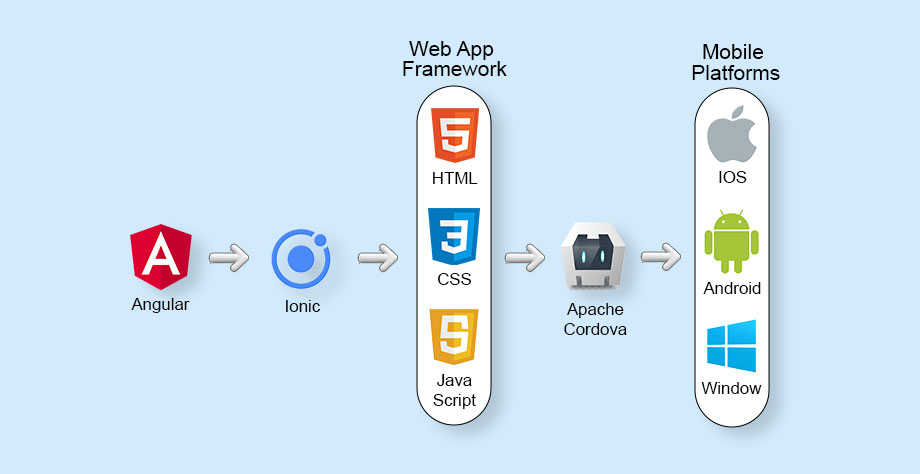
Xamarin and Ionic have garnered significant popularity in the mobile development community. Xamarin is known for its native performance, using C# and the .NET framework to create apps for iOS, Android, and Windows. On the other hand, Ionic leverages web technologies like HTML, CSS, and JavaScript to build cross-platform apps. While both are excellent options, the choice between Xamarin and Ionic depends largely on your project requirements and development preferences.
Code Reusability: Xamarin vs. Ionic
Xamarin
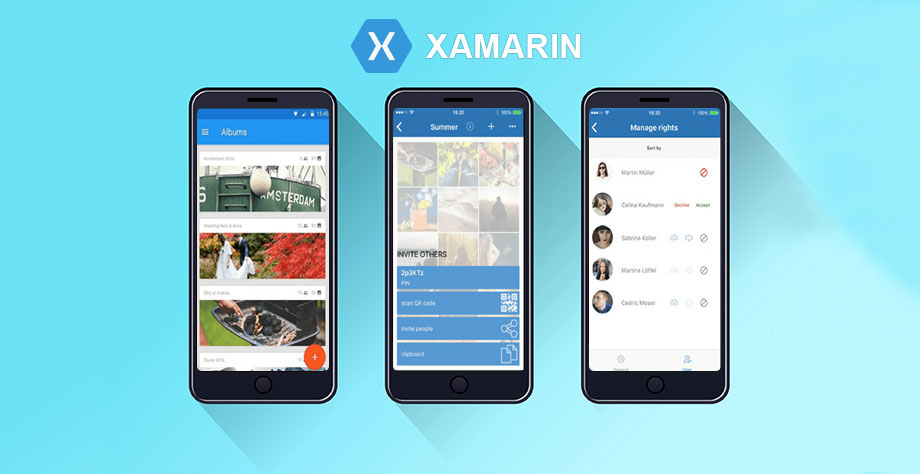
One of the key benefits of using Xamarin is its ability to share up to 90% of the code across different platforms. Xamarin’s .NET framework makes it easy to maintain a single codebase, ensuring that updates and bug fixes are reflected across all platforms with minimal effort.
Ionic
Ionic, on the other hand, often requires more maintenance to ensure code compatibility across platforms. Developers may need to rewrite significant portions of code, and backward compatibility issues can arise. This can lead to a frustrating experience, especially when maintaining larger projects.
Verdict: Xamarin
Xamarin takes the lead in terms of code reusability. Its seamless integration with C# and .NET makes it easier to maintain and scale apps.
Performance: Which Framework Delivers Faster Results?
Xamarin
Xamarin excels in delivering native performance due to its use of platform-specific APIs and libraries. It allows developers to access device-specific features, resulting in high-performance apps with a more native feel.
Ionic
Ionic, while capable of creating responsive and high-performing apps, relies on web views, which can’t match the native performance of Xamarin. However, with optimized plugins, Ionic can still offer impressive performance for less resource-intensive apps.
Verdict: Ionic
For apps that require high-performance features, Xamarin wins. However, if performance requirements are moderate, Ionic can still be a solid choice.
User Experience: Which Framework Provides a Better Experience?
Xamarin
Xamarin provides a rich user experience by offering native UI components. Developers can create platform-specific UIs, enhancing the user experience with design elements that feel familiar to each platform’s users.
Ionic
Ionic strives to provide a native app-like experience by mimicking the platform’s UI components. However, it cannot always replicate the full feel of a native app. Despite this, it offers a consistent experience across platforms with its custom UI components.
Verdict: Xamarin
For a more authentic, platform-specific user experience, Xamarin is the better choice. However, for basic apps, Ionic’s UI can still be effective.
Development Language: Xamarin’s C# vs. Ionic’s Web Technologies
Xamarin
Xamarin uses C#, a powerful, object-oriented language, in combination with the .NET framework. This allows for high flexibility and code reuse, especially for developers familiar with Microsoft technologies.
Ionic
Ionic uses web technologies like JavaScript, HTML, and CSS, making it a better choice for developers already proficient in front-end web development. It’s easier to find web developers familiar with Ionic.
Verdict: Xamarin
Xamarin’s use of C# makes it ideal for developers looking for deep control over their app’s performance and structure. If you are already familiar with web development technologies, however, Ionic may be a more straightforward option.
Community Support: Xamarin vs. Ionic

Xamarin
Xamarin boasts a large, global community of over 1.4 million developers. This vibrant ecosystem offers extensive support, tutorials, and resources, ensuring that developers can find help easily. Xamarin’s community is especially active on platforms like Stack Overflow, Reddit, and the Xamarin blog.
Ionic
Ionic has a massive community of over 5 million developers. This active community provides plenty of resources, plugins, and answers to common development issues. Ionic users can also engage with the community via GitHub, Reddit, and Stack Overflow.
Verdict: Tie
Both Xamarin and Ionic have strong community support, ensuring developers have ample resources at their disposal.
App Size: Which Framework Creates Lighter Apps?
Xamarin
Xamarin apps tend to be larger than those built with Ionic. Xamarin adds an overhead of about 5 MB for release builds and 20 MB for debug builds, which can impact the overall app size.
Ionic
Ionic apps, built using web technologies, tend to have a larger file size due to the inclusion of various plugins and dependencies. However, since the release of Ionic version 4, app sizes have been significantly reduced.
Verdict: Ionic
While Xamarin may add some weight to your app’s size, Ionic has improved app size optimization, especially with newer versions of the framework.
Popular Apps Built Using Xamarin and Ionic
Xamarin
- HCL
- The World Bank
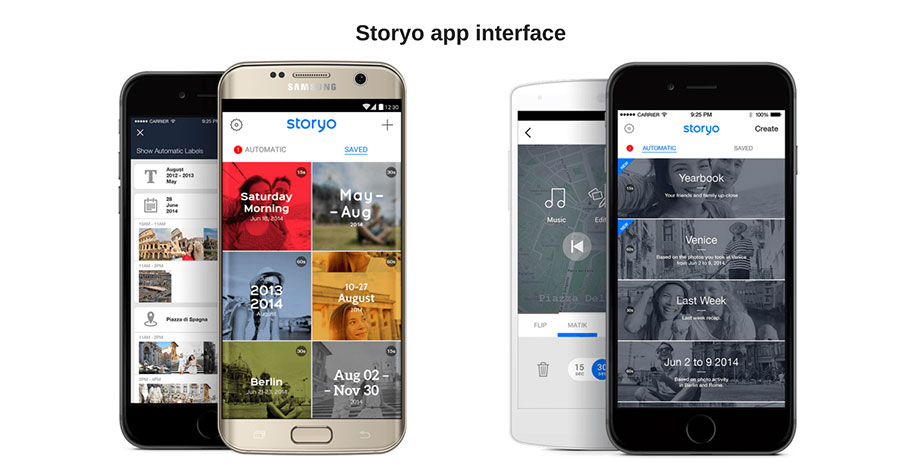
- Storyo
- Alaska Airlines
Ionic
- Just Watch
- Pacifica
- Sworkit
- MarketWatch
Both frameworks have been used to create successful and widely-used apps, demonstrating their versatility in serving different industries and app types.
Pros and Cons: Xamarin vs. Ionic
Pros of Xamarin
- Faster development with reusable code
- Native user experience with full access to platform-specific features
- Direct access to APIs such as camera and GPS
Cons of Xamarin
- Paid solution, adding costs
- Not ideal for graphics-heavy apps
- Slower performance compared to native code
Pros of Ionic
- Open-source and free to use
- Compatible with iOS and Android SDKs
- Customizable UI components for enhanced design flexibility
Cons of Ionic
- Limited performance compared to native apps
- Lacks easy access to native features
- Debugging challenges in web browsers
Conclusion: Which Framework Should You Choose?
Choose Xamarin if:
- You are proficient in C# and .NET
- Native app features like Bluetooth and push notifications are a priority
- You don’t mind larger app sizes
Choose Ionic if:
- You have experience with web technologies (HTML, CSS, JavaScript)
- You’re building a simpler app or startup project
- You prefer open-source tools and rapid prototyping
By understanding these key differences, you can make an informed decision that aligns with your project needs. Whether you opt for Xamarin or Ionic, both frameworks offer excellent capabilities for building high-quality mobile apps.
Frequently Asked Questions
What is Xamarin?
Xamarin is a cross-platform framework that allows developers to write apps for iOS, Android, and Windows using a single codebase, primarily using C#.
What is Ionic?
Ionic is an open-source framework for building mobile apps using HTML5, CSS3, and JavaScript, often employing Cordova or Capacitor plugins.
What is the Difference Between Xamarin and Ionic?
Xamarin is ideal for building native apps with C#, while Ionic is more suited for building cross-platform web-based apps using HTML, CSS, and JavaScript.
Which Framework Should I Use?
If you need a high-performance, native app, Xamarin is the better choice. For simpler, web-based apps or rapid prototyping, Ionic may be more suitable.